
Email

Move your email without losing a message.

A new provider, a move to Microsoft 365 or a website that changes hosts: your email has to come along. We move every mailbox with its folders, contacts and calendars, switch at a quiet moment and check that mail comes in and goes out, so your team simply carries on.

The old provider's five mailboxes being copied, mail still arriving, 24,790 of 37,420 messages done
The new provider's mailboxes complete, the message counts of old and new matching for every mailbox
  • No mail lost, old or new
  • Your addresses stay the same
  • A switch planned around your working hours
  • Together with your website's move, or on its own

What we take care of.
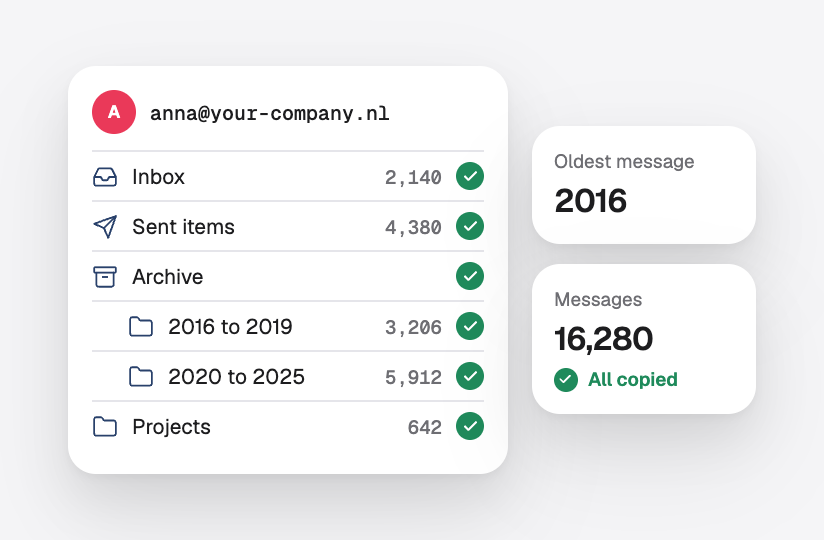
Every folder of a mailbox copied, from the inbox and sent items to archives back to 2016

Every mailbox

All mail with its folders, including years of old messages and sent items.

Contacts and a calendar that came along to the new provider

Contacts and calendars

Address books and calendars come along wherever the new provider supports them.

A migration plan listing mailboxes, a shared address, an alias and a forwarding rule, with the switch on Friday at 18:00

A plan first

A list of every address, alias and forwarding rule, and a date that suits you.

The switch on a Friday evening, with the mail that arrived in between copied the next morning

A quiet switch

The switch at a quiet moment, with mail that arrives in between copied afterwards.
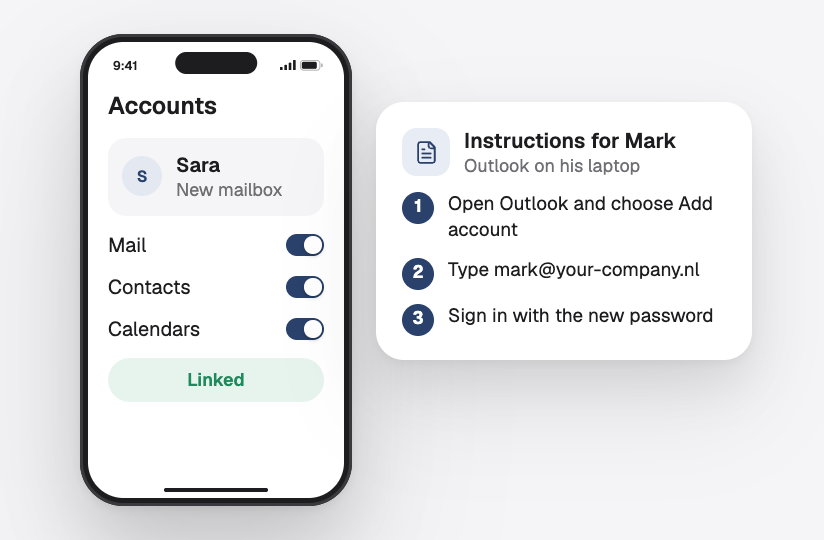
A phone linked to the new mailbox, and short instructions to set up Outlook on a laptop

Devices set up again

Outlook, Apple Mail and phones linked to the new mailboxes, or short instructions per person.

Incoming and outgoing test mails arrived, and SPF, DKIM, DMARC and MX set for the new provider

Checked afterwards

Incoming and outgoing mail tested, and SPF, DKIM and DMARC set for the new provider.

Frequently asked questions.

Is your question not here? Just ask, and you will get a clear answer.

Will we be without email during the move?

No. Mail keeps arriving in the old mailboxes until the switch, and whatever arrives around the switch is copied afterwards. Most teams only notice that they log in somewhere new.

Do we lose our old emails?

No. We copy all mail, including folders, sent items and archives. Before the old mailboxes close, we check that everything is there.

Which providers can you move from and to?

From and to almost any provider: the mail of your current hosting, Microsoft 365, Google and most others. We look at your situation first and tell you what comes along.

Can you move our website at the same time?

Yes. We often move the site and the email together, so the domain switches once and everything is checked in one go.

What do we have to do ourselves?

Very little. We need access to the old and the new accounts and a list of who uses which address. On the day itself, people may have to sign in again on their phone.

Goes well with this.

Business email

Mailboxes on your own domain, set up on every device.

Microsoft 365

Users, licences and security managed for you.

Website hosting

Fast, secure hosting and moves without downtime.

Start a project

Let's talk about your project.

Tell us briefly what you need. You will get a clear proposal from us.

Plan an online meeting

By appointment, also outside office hours

Office in the Netherlands

Monday to Saturday · 8:00 to 18:00

Start a project

Request a quote.

Tell us briefly what you need. You will get a clear proposal from us.

We read your message

And get back to you soon, by email or phone.

Getting to know you

A short talk about what you need.

A clear proposal

Scope, timeline and price, in writing.

Prefer email? [email protected]

Fields marked with * are required.

Cookie settings

Choose which cookies you allow. Necessary cookies are always on. Privacy policy

  • NecessaryAlways on

    Needed for the site to work, for example to remember your cookie choice. Always on.

  • Remember choices you make, such as your language or region, to make the site more personal.