
Email

Business email on your own domain.

Addresses like [email protected] instead of a free mail account, set up on every computer and phone your team uses. We help you choose between mail on your hosting and Microsoft 365, set it up properly and stay the people you call when something does not work.

  • Professional addresses on your own domain
  • Set up on every computer and phone
  • SPF, DKIM and DMARC set correctly from day one
  • One point of contact for questions and new colleagues
  • Separate terms for foundations
Business email for you@your-company.nl on a laptop and a phone, with a shared info@ address, a sales@ alias and every device set up

What we set up.

Mailboxes on your-company.nl for Anna, Mark, Sara and you, plus info@, sales@ and support@

Addresses on your domain

A mailbox for everyone on your team, plus addresses such as info@ and sales@.
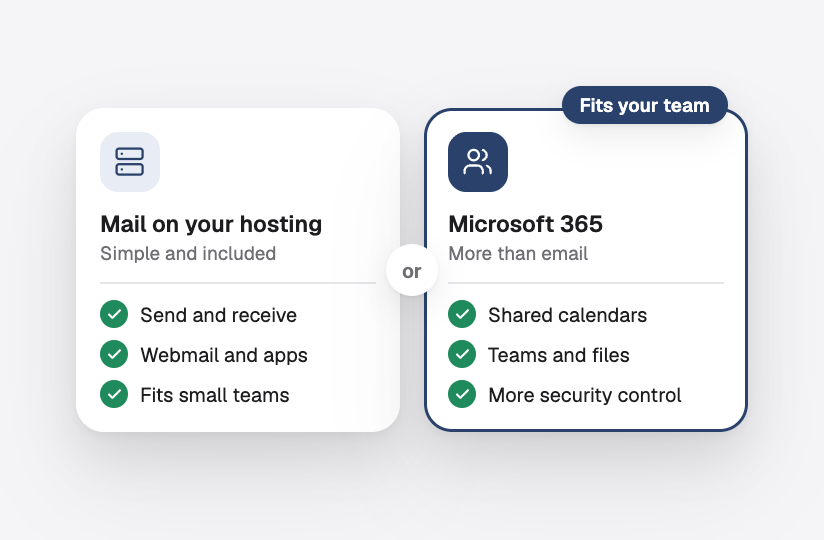
Mail on your hosting or Microsoft 365, side by side with what each offers

The right choice

Mail on your hosting or Microsoft 365: we advise what fits your team and the way you work.

The same inbox in Apple Mail, Outlook and on a phone, with mail, calendar and contacts

On every device

Set up in Outlook, Apple Mail and on phones, with calendars and contacts where your mail offers them.

A shared info@ mailbox read by three people, each message answered or being answered

Shared addresses

An info@ or support@ that several people read and answer, so no message is missed.

An out-of-office reply switched on, sales@ forwarded to two people and a catch-all to info@

Forwarding and auto-replies

Forwarding, out-of-office replies and catch-all addresses, set up the way you work.

Storage per mailbox, an archive of old mail and backups of mailboxes, folders, contacts and calendars with a restore button

Storage and backups

Enough space per mailbox, an archive for old mail and backups to restore from.

Frequently asked questions.

Is your question not here? Just ask, and you will get a clear answer.

Why not just use a free Gmail or Outlook address?

An address on your own domain looks professional, stays yours when you change provider and cannot be closed by someone else. Customers trust it more, and with the right settings it is less likely to land in spam.

Mail on our hosting or Microsoft 365?

Mail on your hosting is simple and fits small teams that mainly send and receive email. Microsoft 365 adds shared calendars, Teams, larger mailboxes and more control over security. We advise based on how you work.

Can we keep our current addresses?

Yes. Your addresses stay the same. If your mail is somewhere else now, we move it along, with its folders, contacts and calendars.

Who sets it up on our phones?

We do, or we give each person short instructions for their own device. New colleagues get their mailbox set up the same way.

Can several people read info@?

Yes, as a shared mailbox or as an address that reaches several people. You decide who sees and answers which mail.

Goes well with this.

Email deliverability

Email that reaches the inbox, not the spam folder.

Email migration

Every mailbox moved to a new provider, without losing mail.

Microsoft 365

Users, licences and security managed for you.

Start a project

Let's talk about your project.

Tell us briefly what you need. You will get a clear proposal from us.

Plan an online meeting

By appointment, also outside office hours

Office in the Netherlands

Monday to Saturday · 8:00 to 18:00

Start a project

Request a quote.

Tell us briefly what you need. You will get a clear proposal from us.

We read your message

And get back to you soon, by email or phone.

Getting to know you

A short talk about what you need.

A clear proposal

Scope, timeline and price, in writing.

Prefer email? [email protected]

Fields marked with * are required.

Cookie settings

Choose which cookies you allow. Necessary cookies are always on. Privacy policy

  • NecessaryAlways on

    Needed for the site to work, for example to remember your cookie choice. Always on.

  • Remember choices you make, such as your language or region, to make the site more personal.